
If you use a Mac long enough, you’ll eventually run into the dreaded pop-up: “Your system has run out of application memory.” I just dealt with this on my iMac, and it resulted in a total macOS reinstall. Here’s a quick tech breakdown of why this happens: when your Mac runs out of RAM, it starts copying information to your hard drive (specifically, the SSD) to use as virtual memory. But if your SSD is also full—say, you’re down to your last 300 megabytes—your Mac has nowhere left to put that data. It panics and starts yelling at you to “close something.”
Long story short, I ended up reinstalling the operating system to get a fresh start. And whenever I do a clean wipe, there are a handful of essential programs I install immediately.
At the very top of that list? HandBrake.
The Unsung Hero
I can’t even remember when I first heard about HandBrake. I’ve probably been using it since I bought my first Mac back in the early 2000s. And yet, here we are in 2026, and it remains one of the most viable, reliable pieces of software on my machine.
HandBrake is a free, open-source video conversion program. But you might be wondering: Karl, you’re paying $12.99 a month for Apple’s pro creative suite—why on earth aren’t you just using Compressor?
It’s a fair question. Apple’s software is incredibly powerful. But I don’t use Compressor for one incredibly frustrating reason: it cannot convert MKV files.
Open Source vs. The Walled Garden
Apple famously loves its walled garden. They actively push users toward their native, proprietary codecs—like .M4V or .MOV. If you try to feed Apple’s pro software an unsupported third-party container like an MKV file, it simply refuses to play ball.
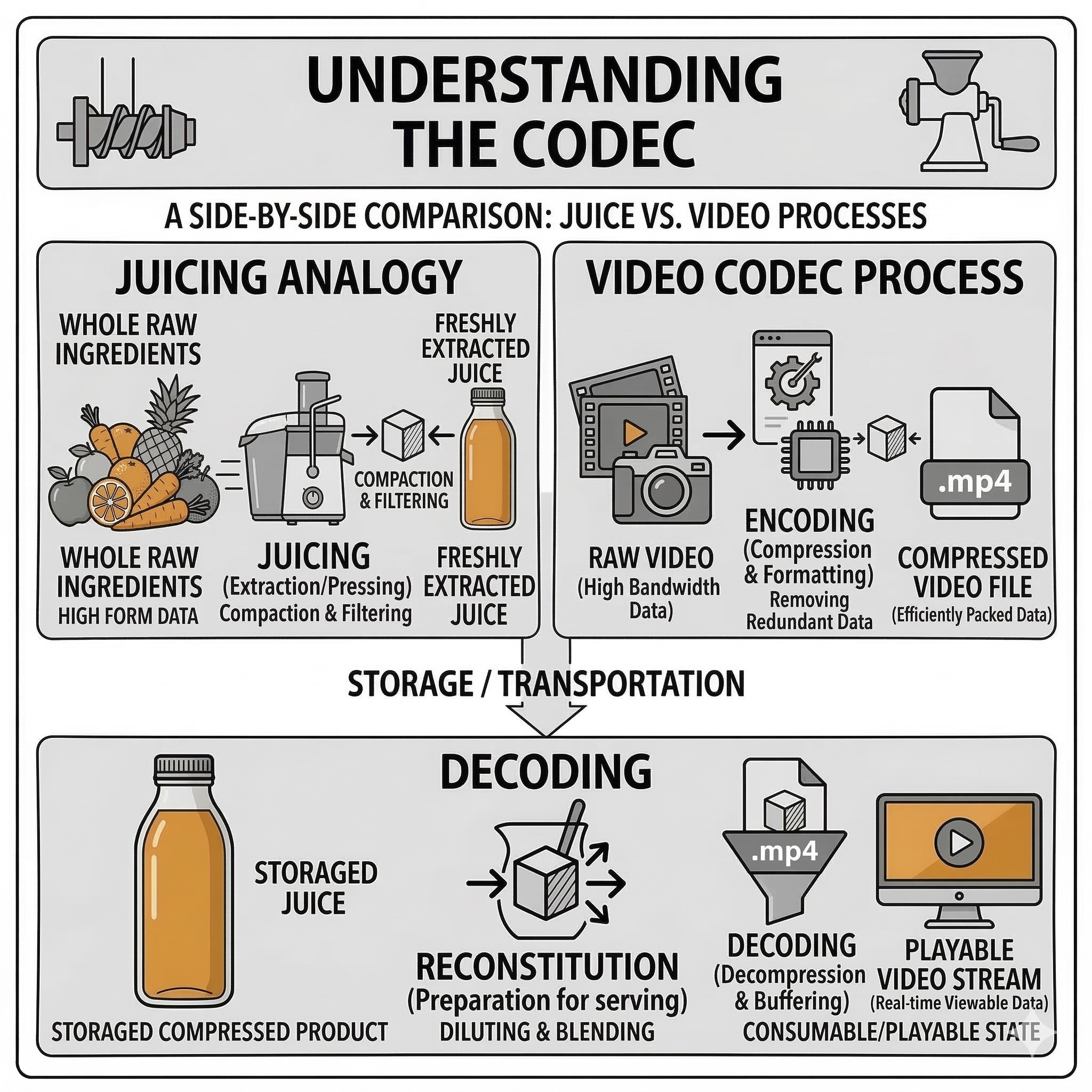
Think of file conversion like juicing a pineapple: it squeezes massive, raw data down into a concentrated, manageable size so you can actually store, share, and stream it without choking your hard drive.”
HandBrake, on the other hand, is built by the open-source community. This conglomerate of developers believes that software should be free and accessible, which means HandBrake is designed to read and convert practically anything you throw at it.
Here is why HandBrake remains undisputed:
- It’s completely free: No subscriptions, no hidden fees.
- It’s incredibly lightweight: The download file is a microscopic 49MB. It takes literal seconds to download.
- It’s efficient: Once you uncompress the DMG file, the entire installed program is only about 130MB.
If you’re ever in a pinch and need to convert a video format on the fly because it won’t play on your computer or upload to a specific site, HandBrake is hands-down the best tool for the job.
Do you still use HandBrake, or is there another video converter you swear by? Let me know in the comments below!
Leave a Reply